Nordine's Home Cinema Installation in an Existing Room
Nordine's Home Cinema Installation in an Existing Room
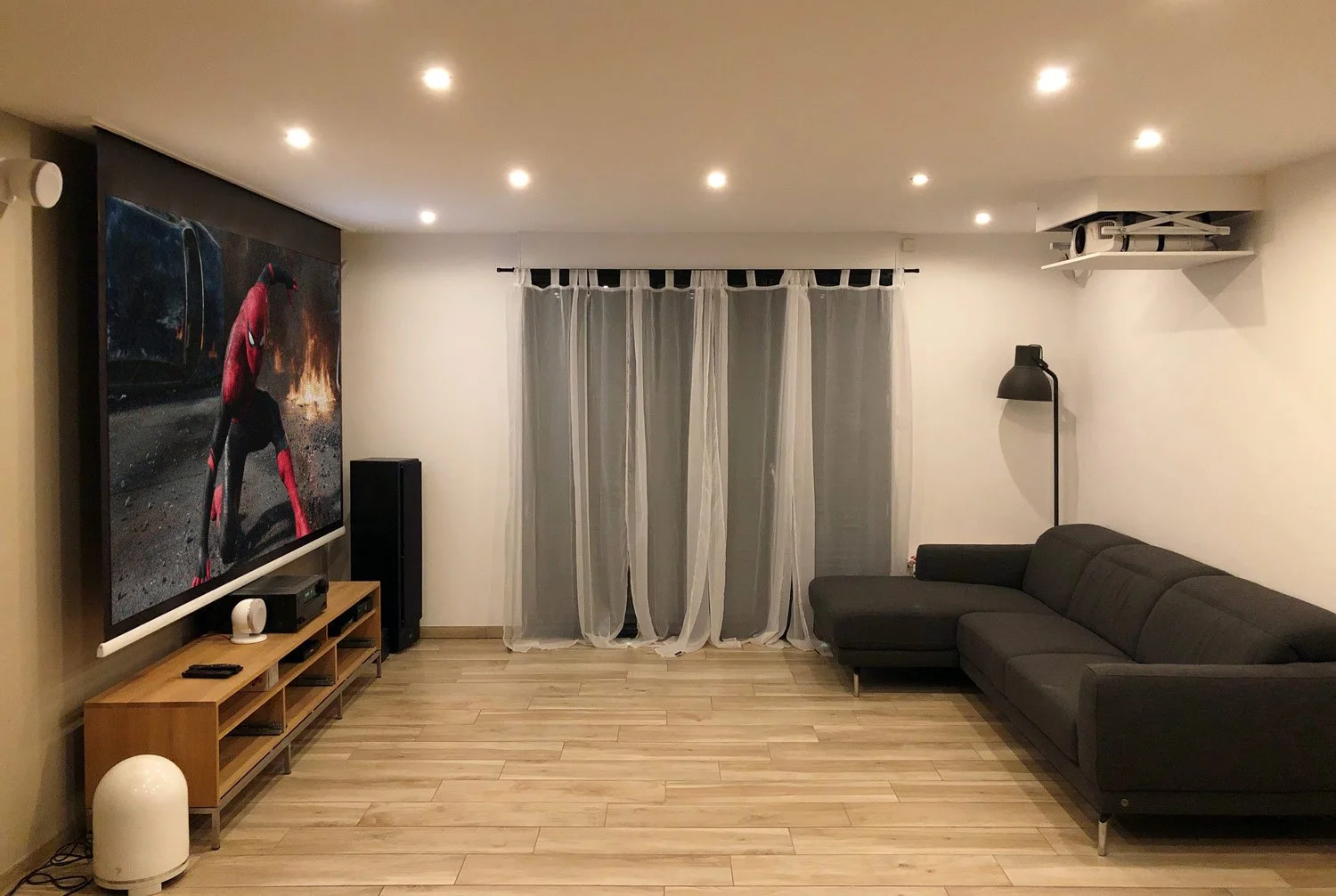
Nordine's Home Cinema installation in an existing room took just one day. The constraints were numerous — including an extremely tight false ceiling — but we overcame them all. Here's how we did it.
Nordine is a happy father and a loving husband. That might sound like a throwaway line, but once you've read the whole story, you'll understand why I'm telling you this 🙂
Nordine first got in touch with us at the end of 2018. After visiting our website many times, he finally called to have us validate his equipment choices and, above all, to ask us to handle the installation of his Home Cinema in an existing room.
The product selection Nordine had put together for his existing-room Home Cinema was spot on. Here's the setup he had in mind:
- A Concept Built-In Electrol 260cm recessed projection screen
- A 4K projector Epson TW9400
- A Home Cinema projector lift AluliftHC
- An AluliftHC Finishing Kit
- A Co3B Home Cinema synchronisation module
The total cost of this configuration came in at just under €7,000.
To build a complete Home Cinema setup, use our AiOhc Configurator. It gives you personalised advice on choosing the optimal screen size, along with everything you need for a top-quality Home Cinema installation in an existing room.
Validating the Equipment for the Existing-Room Home Cinema
After an initial phone call, we arranged a WhatsApp video call. This lets us quickly and accurately assess the room without wasting time on unnecessary site visits.
The remaining unknown was the available depth inside the false ceiling. I asked Nordine to check the plenum by measuring at the location of two existing recessed lights. If you're planning a Home Cinema installation in an existing room, this is probably the most reliable way to find out exactly how much space you have in your false ceiling.
In Nordine's case, there was exactly 11cm — just enough to fit our recessed projection screen, the Concept Built-In Electrol.
That box was ticked.
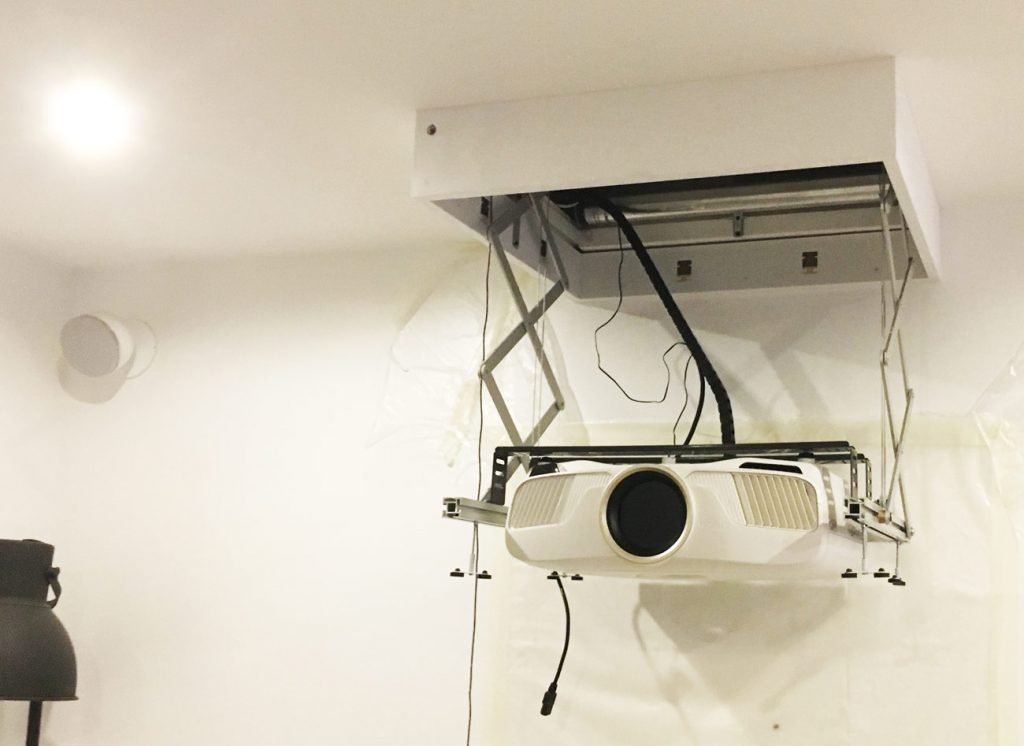
The next question was naturally how to integrate the motorised projector mount. The Epson TW9400 projector alone stands nearly 20cm tall. Thanks to the AluliftHC's design, you only need 2cm more than the projector's height to integrate it into the ceiling. Given the cost and — above all — the time constraints (I'll come back to this later in the article), building a full-length plasterboard housing across the room was out of the question.
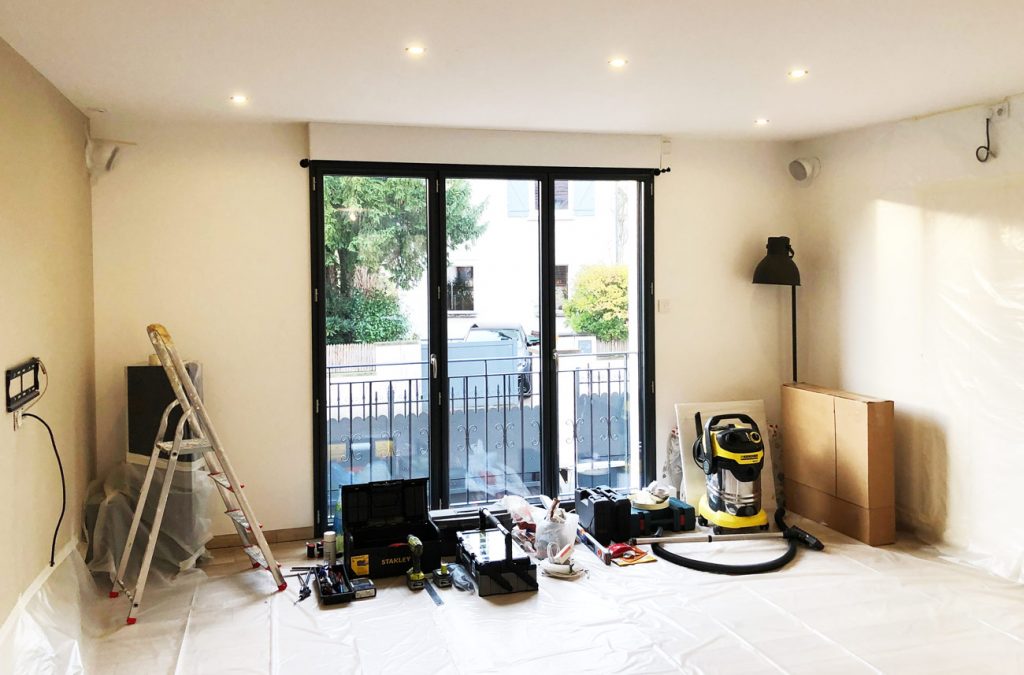
Nordine's living room is part of a contemporary open-plan interior. We noticed an existing housing unit on his ceiling that was being used as an air duct. That gave us the idea for a symmetrical solution matching the existing boxwork.
Integrating the Home Cinema Projector into the False Ceiling
As usual, I ran the configuration by Paul (a.k.a. "the Professor" — more on that nickname in the article about Driss's Home Cinema installation). He immediately came up with a solution that was both elegant, practical, and quick to implement.
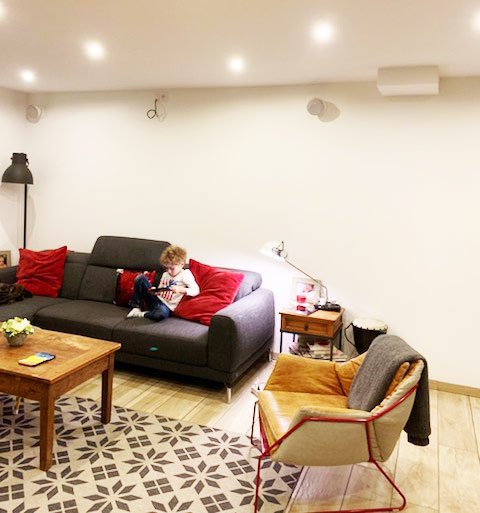
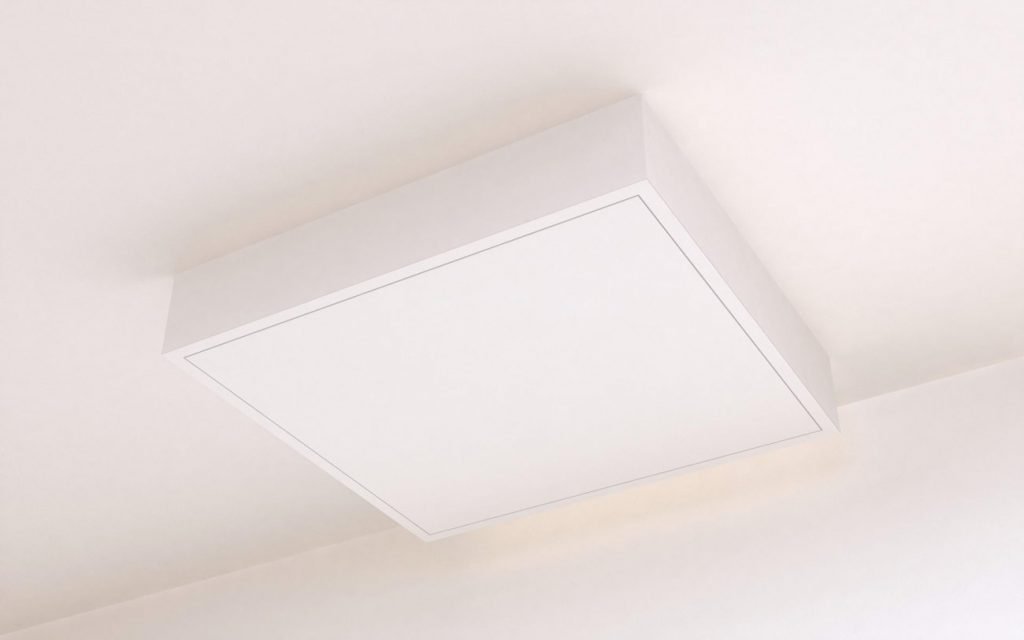
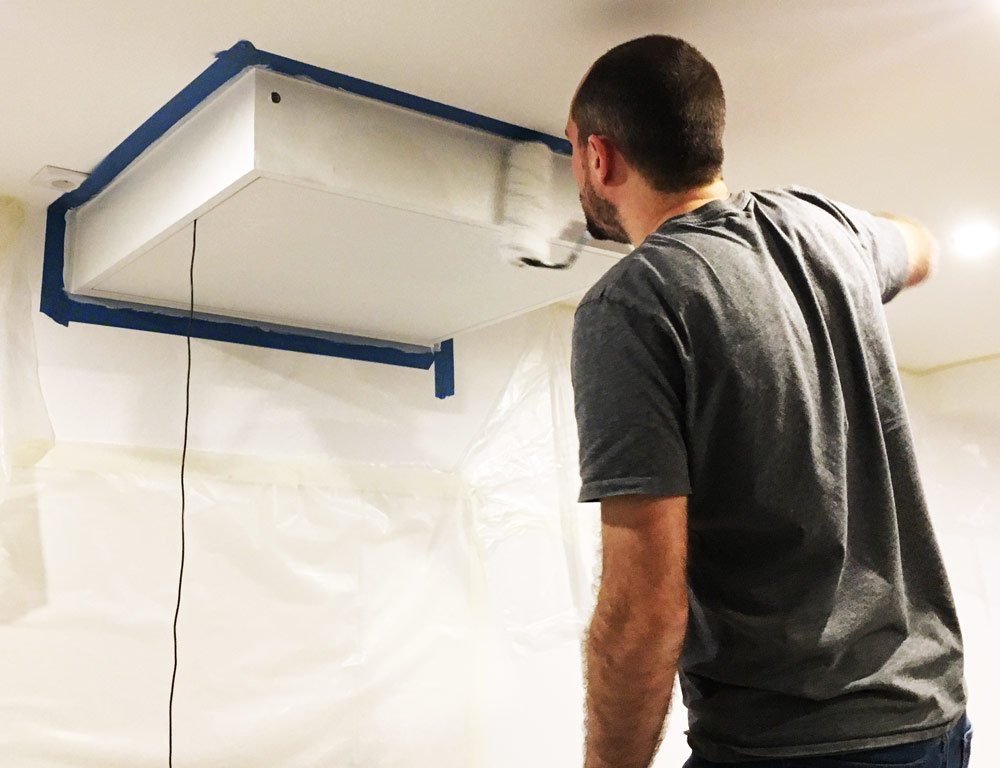
Paul designed a bespoke housing unit built from MDF. It would protrude only about ten centimetres below the existing false ceiling — a height comparable to the existing boxwork already in place.
And because this housing unit was made from wood rather than plasterboard, we were able to do the fabrication work at our workshop. This saved us valuable time on the day of Nordine's Home Cinema installation.
The goal was clear: complete everything in a single day, so the system would be fully finished and 100% operational by that same evening. I didn't understand why this deadline was so important — Nordine kept emphasising it, but never explained why.
Installing the Home Cinema in Nordine's Existing Room
Nordine had been wanting a Home Cinema in his living room for quite some time. He had wisely had electrical outlets installed on both the screen side and the projector side, along with a conduit for running an HDMI cable.
This is a great example of smart preparation for a Home Cinema installation. You might not be ready — or willing — to do the full installation during a renovation or construction project. But there's nothing stopping you from laying the groundwork for the future.
Running a conduit for the HDMI cable and adding a power outlet is very straightforward during building works. Your electrician will typically be happy to take care of it. For advice on cable routing for audio and HDMI, get in touch with us. That way, you're guaranteed a flawless result once the installation is complete.
Integrating the Home Cinema Projector into the False Ceiling
We had fully prepared the housing unit designed to house the projector lift in the false ceiling. Once on site, all that remained was to mark out the cut lines for the screen and projector lift openings.
Paul's tip: when cutting through a plasterboard surface, use painter's tape (preferably the blue type, which is easier to remove without lifting the paint). It minimises dust scatter and ensures the cleanest possible cut. Less touch-up work at the end of the job? Absolutely 😉.
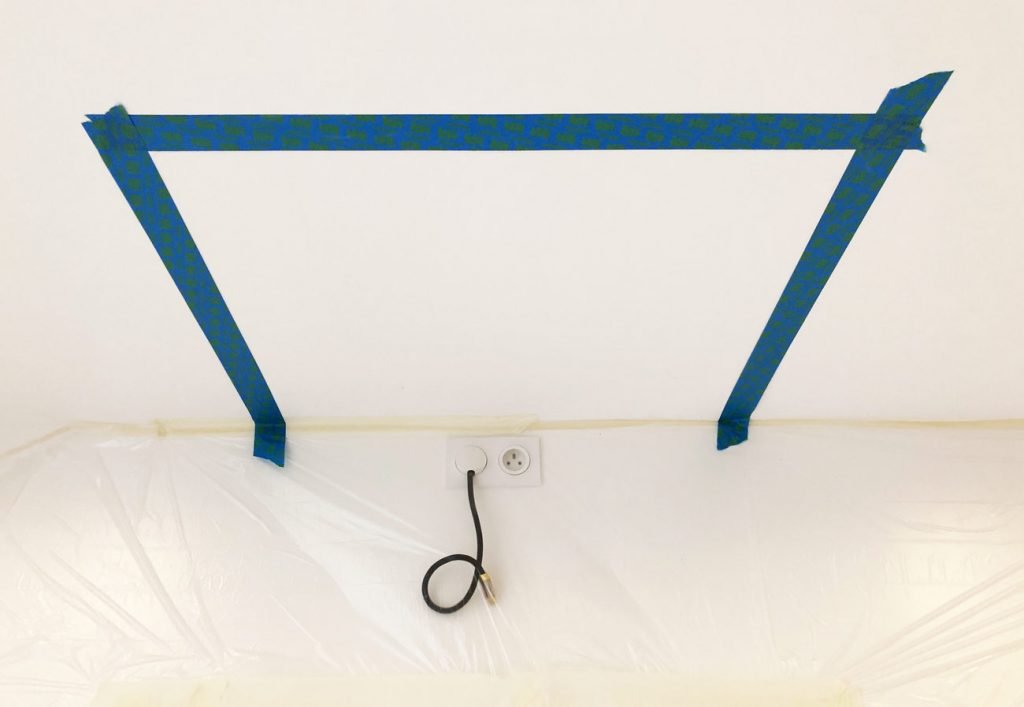
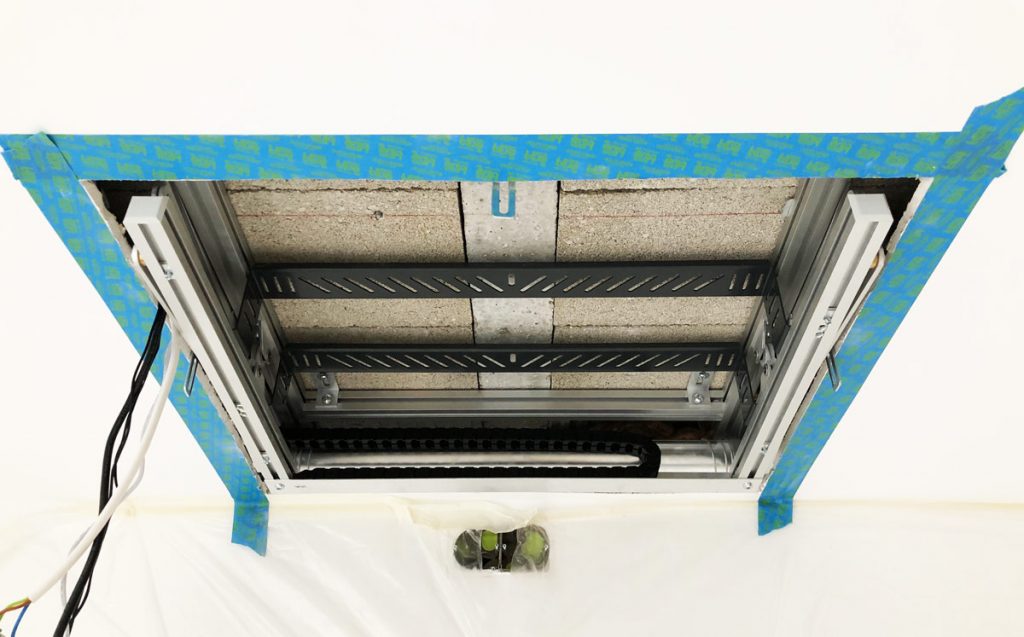
Before starting the cutting phase, we also checked the position of the rails holding the plasterboard. We located their orientation using an existing recessed light opening. If you're doing the work yourself without knowing where the rails are, use a stud finder. You can find one for under €50 on Amazon — perfectly adequate for this kind of application.
If you need to cut through rails, make sure you have a rail cutter or an angle grinder on hand. Without one of those tools, a task that should take seconds can end up taking hours.
One last tip on cutting into existing false ceilings: have some ceiling hangers on hand to support any rails you cut through. Again, having them with you during the installation saves you the hassle of an emergency trip to the hardware store.
Electrical and HDMI Wiring for the Home Cinema
There's something I haven't mentioned yet. If you've read other case studies on our blog, you won't be surprised. Nordine had bought a 10-metre HDMI 2.0 cable on Amazon. You can see it in the photos at the start of this article.
These cables work fine, of course, but the signal transmitted over a copper conductor is subject to significant losses over longer runs. Simply put, the signal that arrives at the other end isn't quite the same as the one that left.
But let's get to the electrical wiring. The HDMI cable question will come back around when we reach the conclusion of this case study.
And no, it won't just be a case of no signal getting through.
Home Cinema Electrical Wiring
Before settling on the Co3B synchronisation module, Nordine had considered the AiOcontrol instead. Both solutions offer a similar installation method: a single unit to power, which directly controls the projection screen, the motorised mount, and the projector.
AiOcontrol offers a more intuitive and user-friendly setup, while the Co3B is affordable and universal. It works with any projector and can easily be operated via a universal remote — which Nordine already owned before the installation.
Here's how to connect the Co3B in the room to simply automate your Home Cinema:
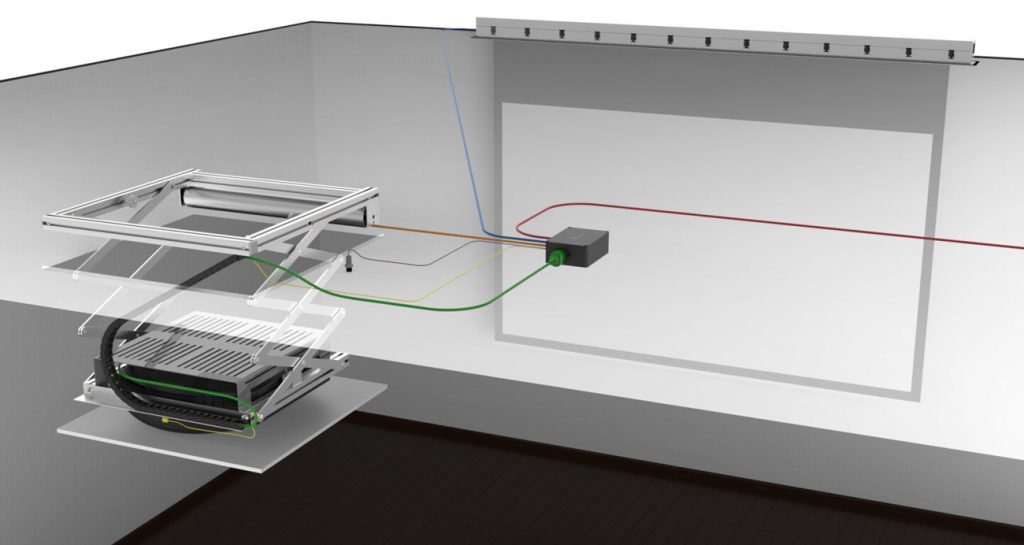
The outlet Nordine had planned near the screen turned out to be unnecessary. Worth mentioning, because having extra outlets installed by an electrician can sometimes add up. So if you're planning a Home Cinema in an existing room, this might save you some money 😉.
Completing Nordine's Home Cinema Installation in the Existing Room
Having started at 8:30am and pushed through without a break, we were pleased to wrap up Nordine's Home Cinema installation just before 8pm.

Nordine was thrilled with the work and the equipment installed. Here's the review he left on Google:
"Installation in December 2018. A very positive experience. Highly professional with perfect service. The final result is superb. Thank you to the whole team."
Nordine C.
But there's one thing I need to come back to. Remember that HDMI cable mentioned earlier in the article?
It worked perfectly with the projector we had installed for Nordine's Home Cinema. What I haven't told you yet is that, because the installation was urgent, we had lent him our TW7400 showroom projector while waiting for the TW9400 to come back into stock.
That detail matters for understanding the HDMI cable issue that followed. But before getting to that, let me share the reason — finally revealed — why the deadline was so critical.
The installation took place just before Christmas. Nordine's wife was away on a business trip for the day, and he wanted to surprise the whole family when she got home that evening. The job was done so well that his wife hadn't even noticed the housing unit or the projection screen — the surprise held right up until Nordine switched the Home Cinema on.
Mission accomplished 🙂
Epilogue: The HDMI Cable Question
Three weeks after completing Nordine's Home Cinema installation, we were back in his area for another job and took the opportunity to swap out the projector.
We removed the Epson TW7400 and installed its higher-spec sibling released at the same time. After connecting the cables, we naturally wanted to project a source already available at Nordine's to calibrate the image on the screen fabric.
The projector screen showed nothing…
An HDMI issue always requires a process of elimination. So after checking every connection with no success, we tested the signal with the TW7400. The image came through perfectly. To get to the bottom of it, we grabbed one of our fibre optic HDMI cables from the car — something we always carry.
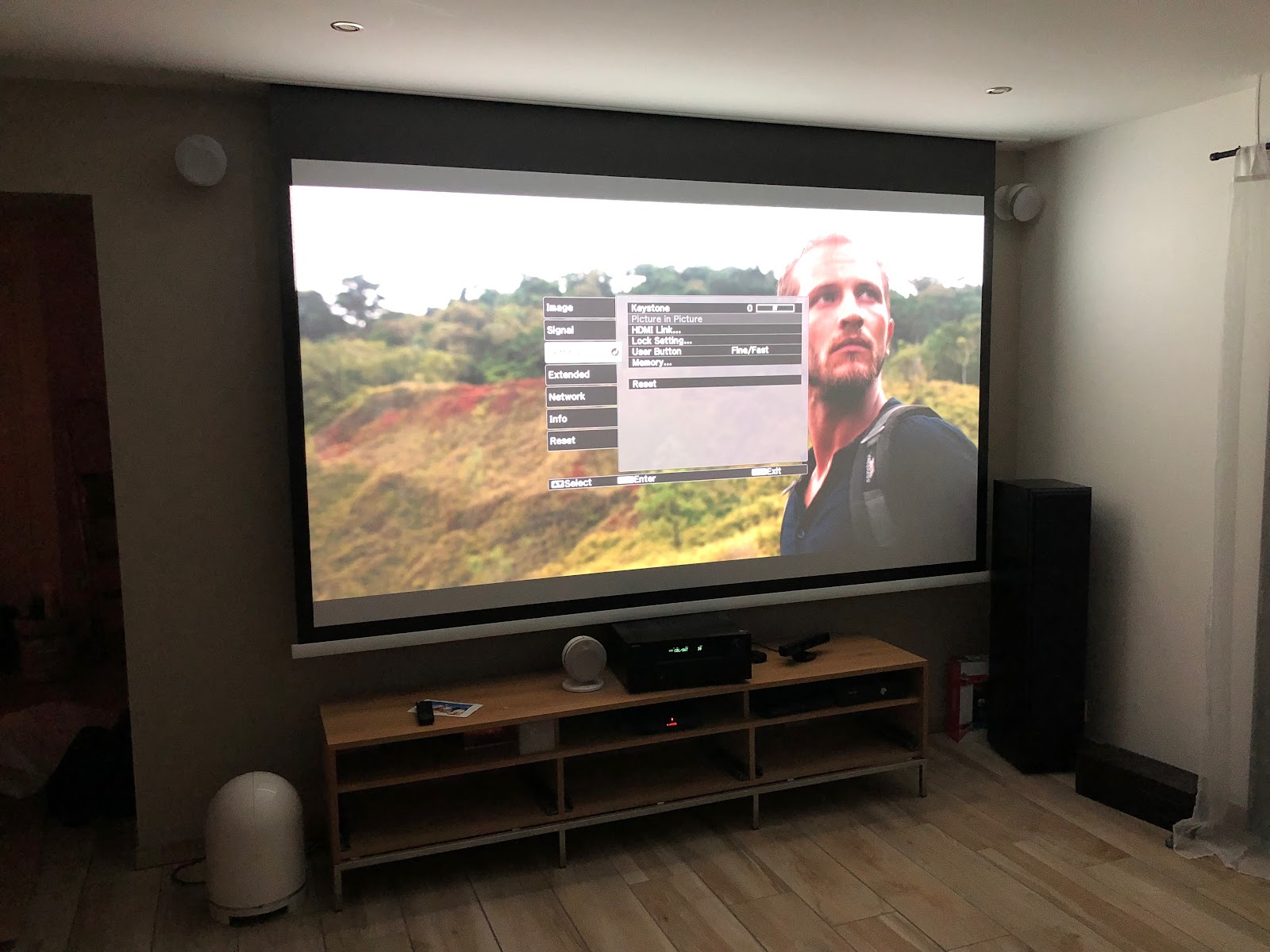
A Christmas miracle! 🎄 The signal passed through the TW9400 perfectly. Not wanting to leave Nordine without his Home Cinema, we got straight to work running the new cable. The whole operation took considerably longer than expected — but thanks to the conduit that had been properly installed in advance, we didn't have to work too hard.
Problem solved, client happy. But, as I find myself saying in almost every Home Cinema installation case study, cabling is always the subtlest part. In this case, the issue was simply that the higher-spec model (TW9400) is noticeably more sensitive when it comes to recognising transmitted signals. This is a common scenario in audio/video installations.
Save yourself the headache by choosing quality HDMI cables from the outset (we stock them) — and above all, work with a professional who can guarantee the entire installation will perform as expected.
For a Truly Flawless Home Cinema Installation in an Existing Room
I've just published a comprehensive guide covering our working method for managing our clients' Home Cinema projects. And if you'd like a complete, turnkey Home Cinema installation without worrying about equipment choices or compatibility, use our AiOhc Configurator.
Ready to take the next step? Read our complete guide on designing your private cinema room with AV Concept Products.